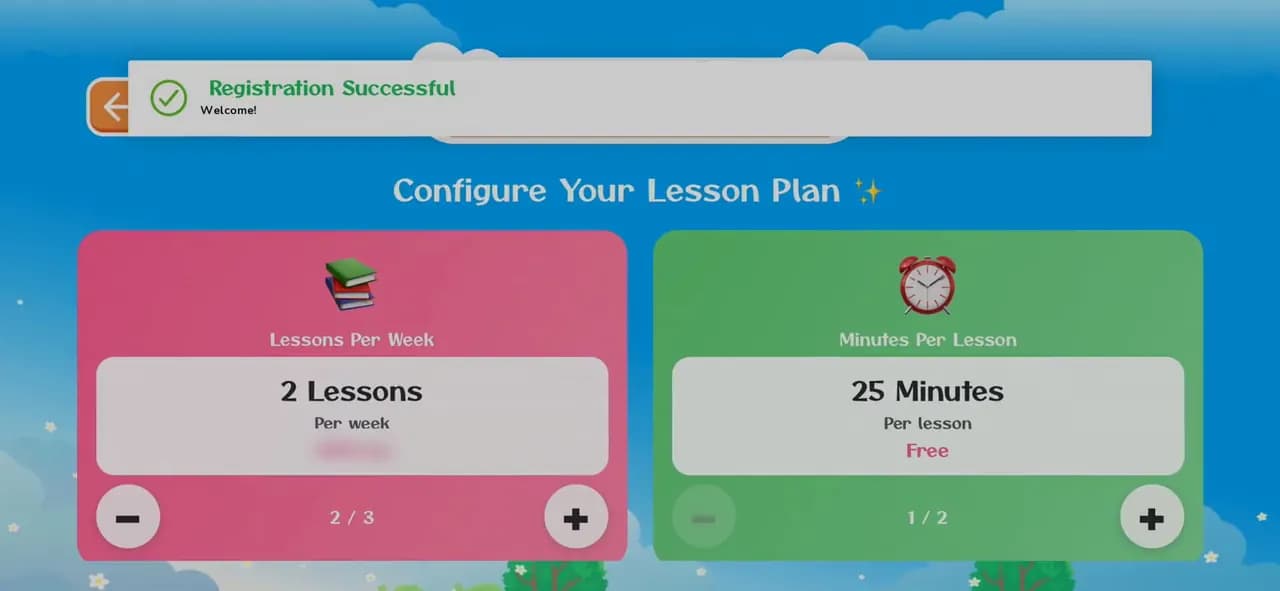
How to create a KidsLingua account
Sign up in the app in under a minute: your name, email and a password. The phone number and invite code are optional.
8 illustrated steps
Getting started · 8 steps · 1:00 video
Enroll your child in live lessons with a teacher: choose how many lessons a week and how long, pick the days and times, then pay by card. The enrollment shows on the profile straight away.
1:00 · No narration, just the app's own sounds. Prices and card details are blurred, and part of the wait while payment loads is cut. Every step is written out below.
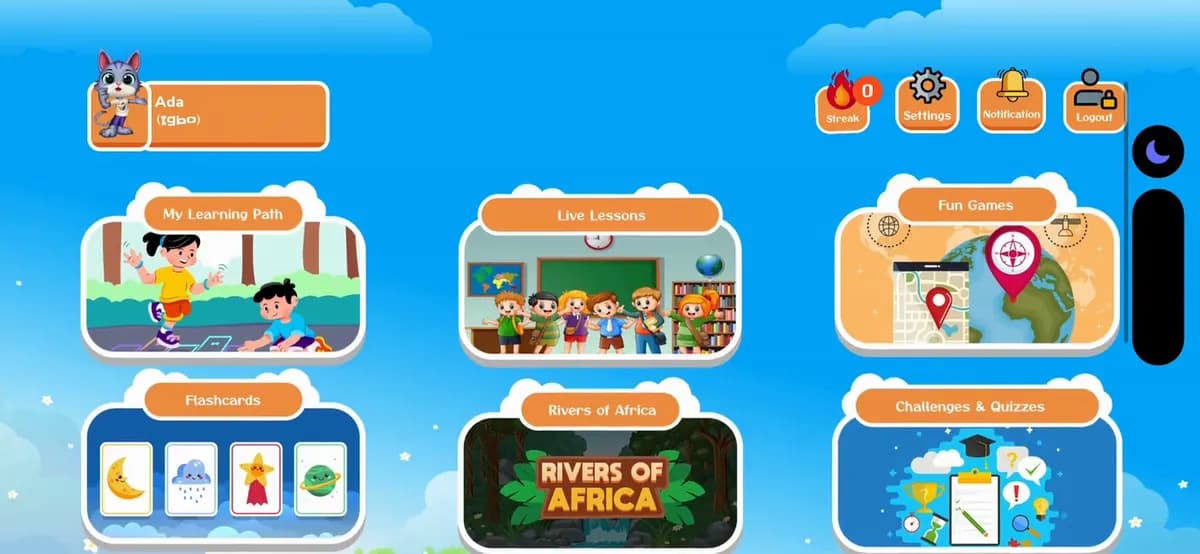
Step 1 of 8
On the home screen, tap the profile name at the top left.
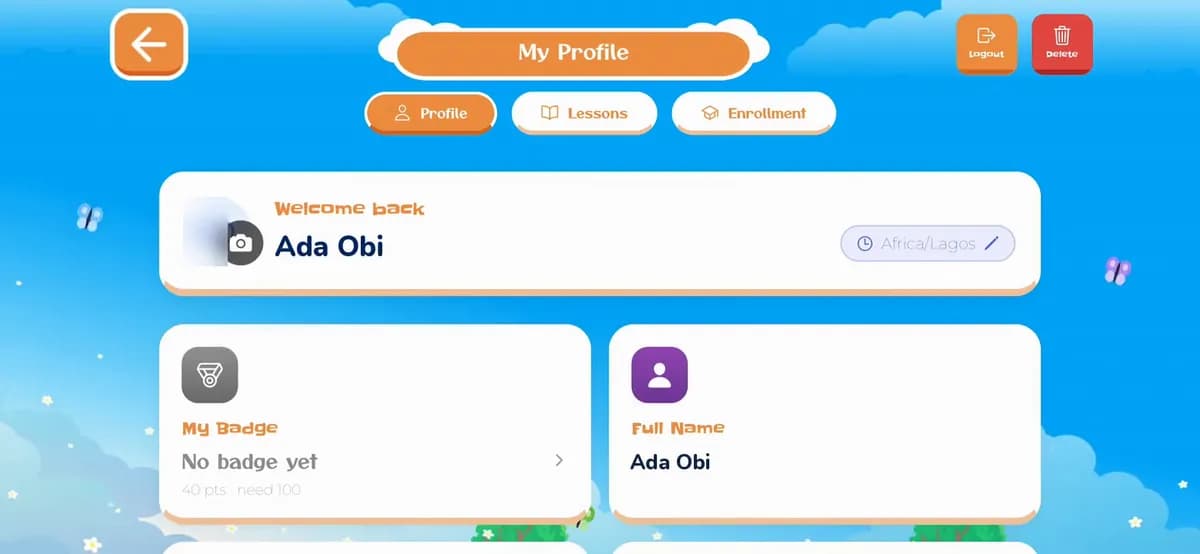
Step 2 of 8
My Profile has three tabs: Profile, Lessons (booked lessons show here) and Enrollment. Tap Enrollment.
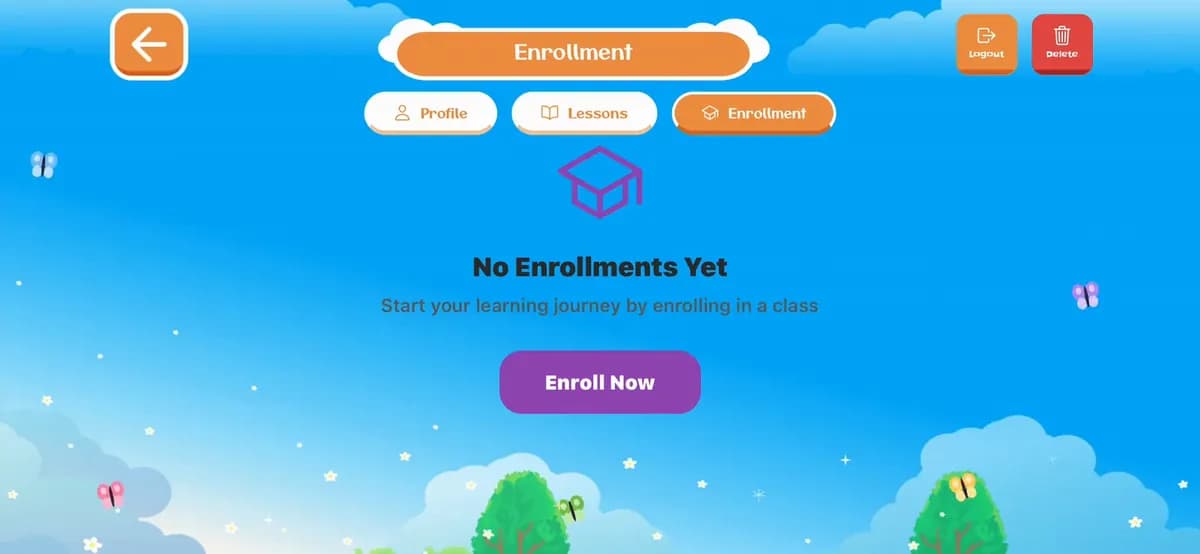
Step 3 of 8
With no lessons booked yet, you'll see No Enrollments Yet. Tap Enroll Now.
Step 4 of 8
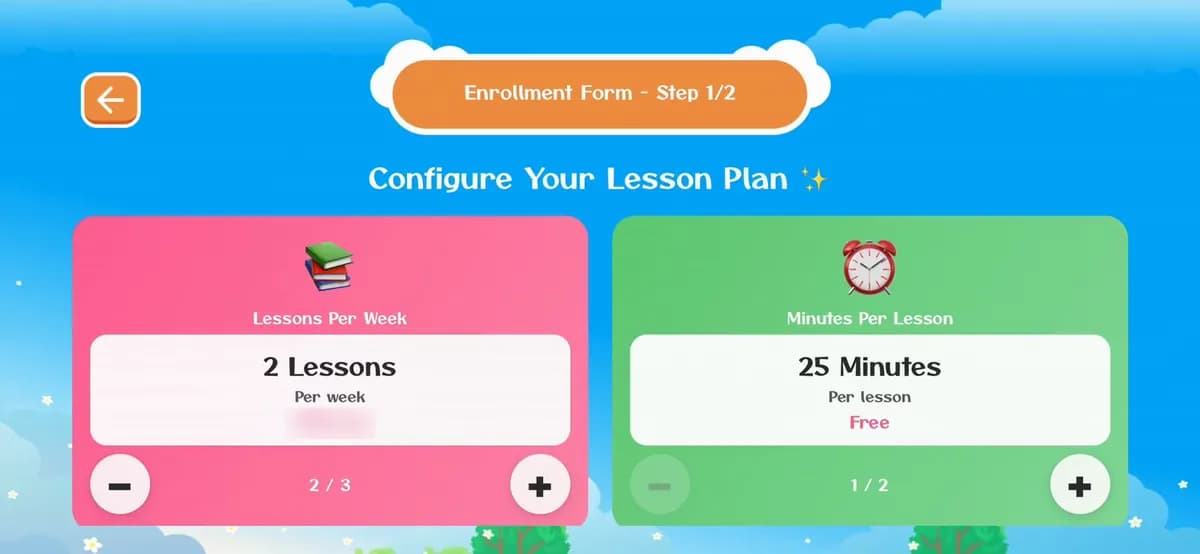
Use + and − to choose Lessons Per Week (up to 3) and Minutes Per Lesson. Each card shows how the choice changes the monthly price. Then scroll down and tap Next.
Step 5 of 8
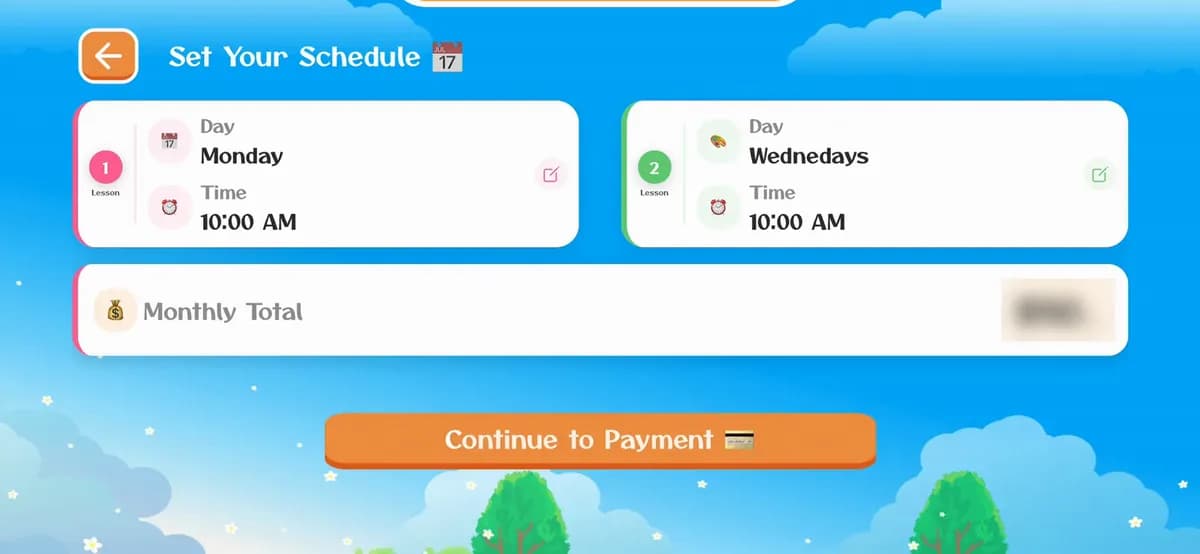
Pick a day and time for each weekly lesson (tap the pencil to change one). The Monthly Total shows what you'll pay each month. Tap Continue to Payment.
Step 6 of 8
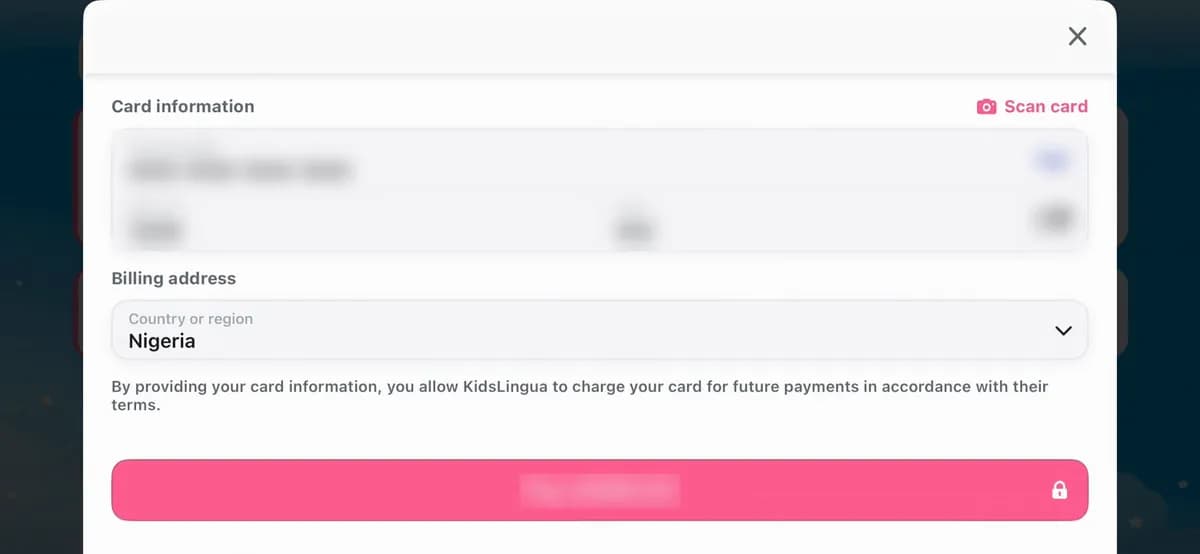
After a short wait, the card form opens. Enter the card number, expiry date and CVC, check the country, then tap Pay. It's a monthly plan, so the card is kept for the next payments.
Step 7 of 8
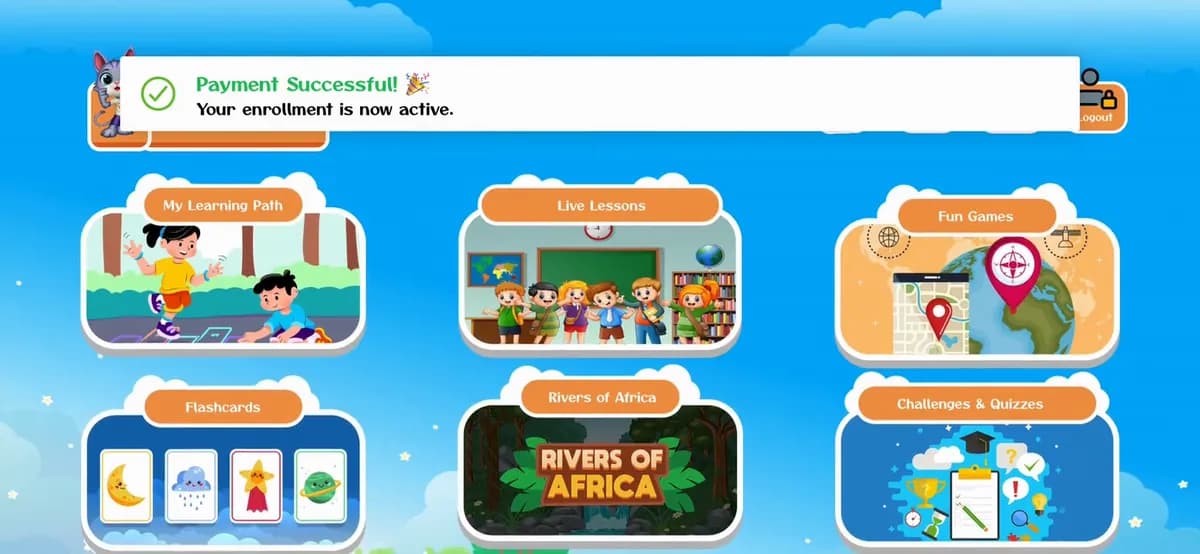
The button turns green, and back on the home screen you'll see Payment Successful! Your enrollment is now active.
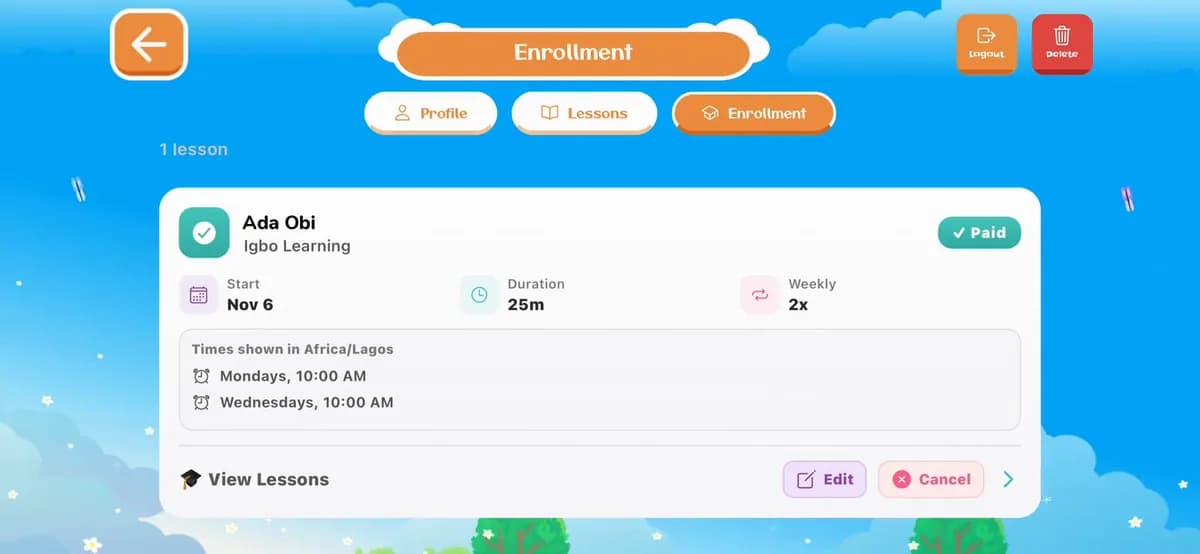
Step 8 of 8
Open the profile and the Enrollment tab again: the plan is marked Paid, with the start date, lesson length, lessons a week and the lesson times (in your time zone). Use View Lessons, Edit or Cancel to manage it.
Lesson times use the time zone on the profile (shown at the top of My Profile, with a pencil to change it). Make sure it's right before you pick times.
Create one first. It takes under a minute.
How to create an accountLessons are one-on-one, by live video, with trained and certified native speakers.
Live lessonsDon't have the app yet?

Sign up in the app in under a minute: your name, email and a password. The phone number and invite code are optional.
8 illustrated steps
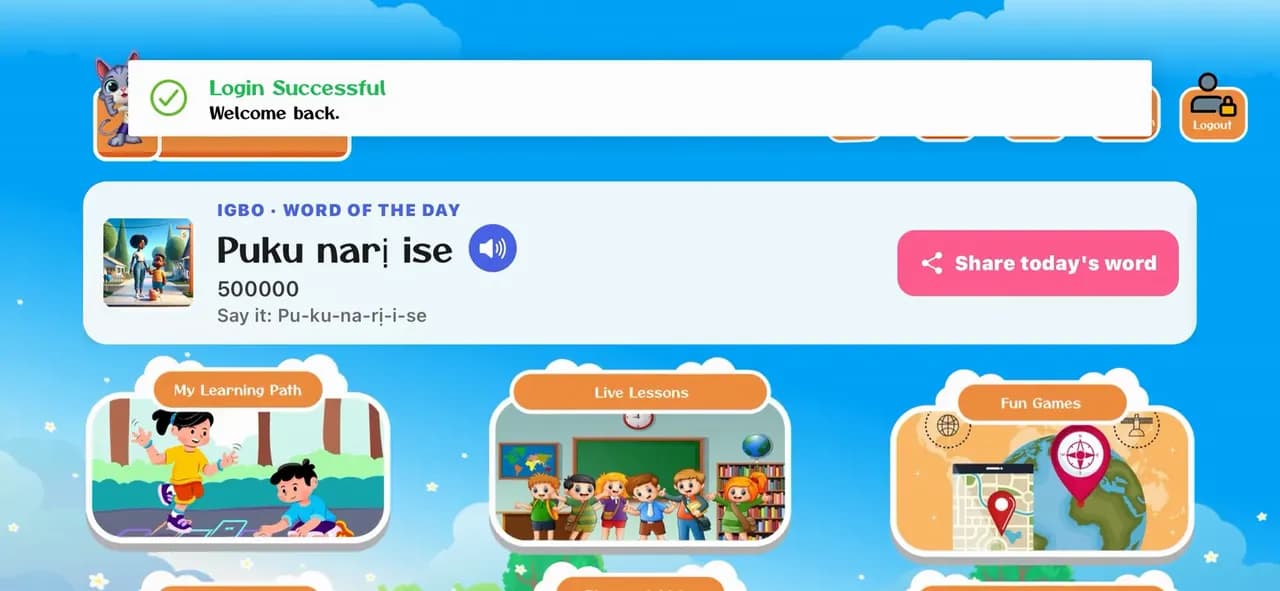
Open the app, pick a language and log in with your family's email and password, so your child's profile and progress are there.
6 illustrated steps
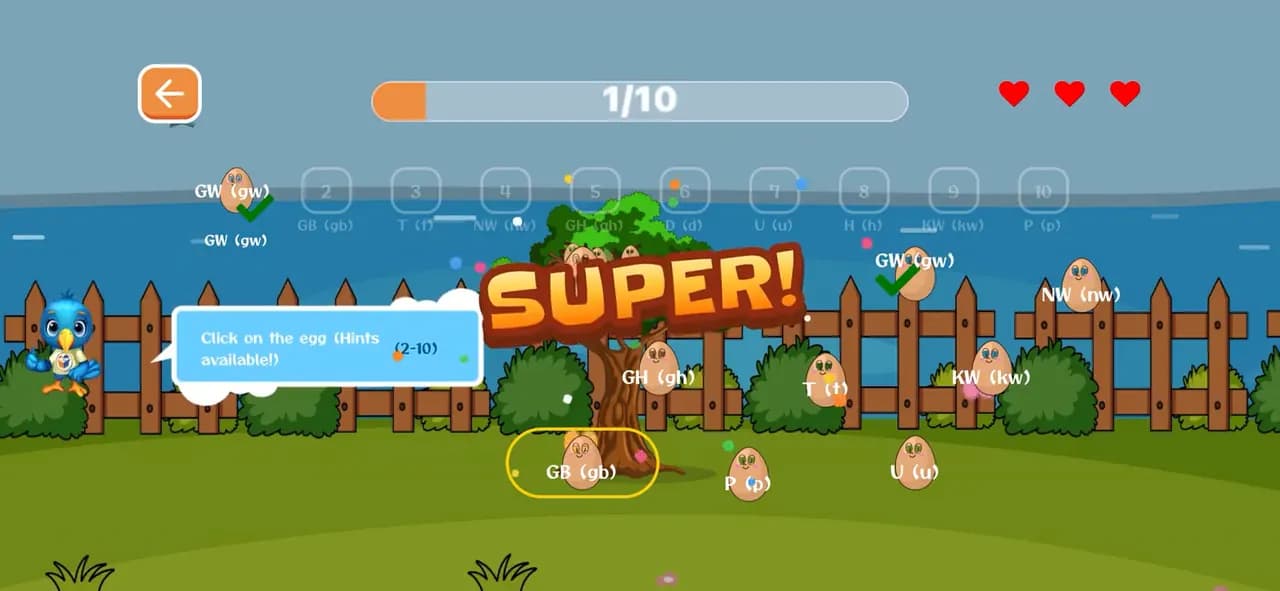
Three games, start to finish: Connect the Egg, the Listening Puzzle and the DragName Game. Each one teaches letters and words with sound, and every right answer opens a word card to listen to.
10 illustrated steps
Start free today, or leave your email and we'll send you new languages, stories and family tips.
Start learning freeOr get updates by email